
iPhone on the App Store · Android on Google Play
Chores that kids actually enjoy.
Chores, routines, points and pocket money in one app for the whole family. No chart on the fridge, no arguing.
Get Kimda freeFull Premium for 60 days · no card · no ads
On iPhone and iPad, Kimda is on the App Store; on Android, it is on Google Play.

- No real money. Points and pocket money are a family record.
- Only your family sees the photos of completed tasks.
- Emails are answered by the app’s creator himself.
How it works
How to get started
No passwords. A parent signs in with a phone number and invites the kids with a single code.
You set the tasks
Pick from the sample set or create your own. You decide how many points each one is worth.
Your child does it and takes a photo
They photograph the finished task. You approve it with one tap, or send it back to be finished.
Points turn into pocket money
In your currency and at your own rate. Pocket money can split itself into the Save, Spend and Give buckets.
What Kimda can do
From brushing teeth in the morning to saving up for a new bike. Kimda grows with your kids, from their first chores to a budget of their own.
Tasks and routines
Morning, after-school and evening routines, daily and weekly plans, reminders and fair rotation between siblings.
Done? Snap a photo
Your child takes a photo of the finished task and you approve it with a single tap. Only your family can see the photos.
Points and pocket money
You decide what each task is worth. Points are converted into pocket money in your currency at your own rate.
Rewards and goals
A family rewards catalogue and savings goals with progress tracking. The joy of finally saving up for that dream item.
Overview for parents
Completion over 7, 30 and 90 days, overdue tasks and fairness – with no public ranking of siblings.
Safe for kids
A child can only join with an invite code from a parent and only after their approval. A parental gate protects purchases and links in the child’s account.
What parents ask most often
Four questions I get every single time.
Is the money in the app real?
No. Points and pocket money in Kimda are a family record. The app doesn’t hold or transfer real money and has no access to any bank account or card. The parent decides when to actually pay out.
Who can see the photos of completed tasks?
Only your family members in the app. The photos aren’t public, they’re kept in private storage, and we don’t share them with any other service or social network.
What happens when the 60-day free period ends?
Nothing gets deleted. If you don’t subscribe to Premium, you continue for free on the Free version with one active child and basic tasks. If you have more kids, a parent chooses which one stays active – or can renew Premium at any time.
How much does Kimda cost?
Kimda has a permanently free Free version for one active child and basic tasks. On top of that, every new family gets 60 days of Premium for free. Premium for the whole family is paid monthly or yearly via the App Store or Google Play; you’ll see the current price in the store’s purchase dialog.
Who is behind Kimda
Pricing
The free version stays free forever. You can try Premium without entering a card.
Free
Free forever
The basic version for a family with one child.
- One child and basic tasks
- Photos of completed tasks and parent approval
- Points, levels and badges; pocket money is in Premium
- No ads and no card details
Premium
60 days free
Then monthly or yearly for the whole family.
- All the kids in the family
- Pocket money in buckets, with interest from parents
- Planner, routines, goals and family rewards
- Task completion overviews for parents
Nothing is deleted after the 60 days. You simply switch back to the free version.
Subscription details
The subscription is bought through the App Store or Google Play and renews automatically until you cancel it. You’ll see the current price in your currency in the store before you confirm the purchase. You can cancel it at any time in the store settings.
We do not sell data from the app or use it for advertising. Privacy Policy
Chores you know from every home
Pick from a set of illustrated sample tasks or create your own from scratch.
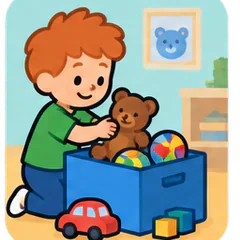 Clean the room
 Brush teeth in the evening
 Help with cooking
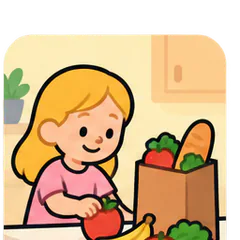 Help with groceries
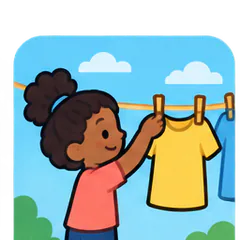 Hang the laundry
 Take out the trash
Pocket money that teaches money skills
Pocket money can be split automatically into three buckets using percentages you set for each child. Amounts in the app are a family record – you hand over the real money yourself.
You choose the look yourself
The app and this website offer 15 themes: from playful and colourful to calm black-and-white minimalism. Tap a theme to try it out right here on this website.
Kimda speaks 32 languages. Switch the website language in the menu above and the app language in its settings.